Packet Tracer 라우터 및 허브 실습
Oct 30, 2020
»
School
목차
1) Router 0 (2016030081) 기본설정
2) Router 1 (2016030082) 기본설정
3) Ping Test
4) Telnet 설정 및 접속
5) Hub 실습
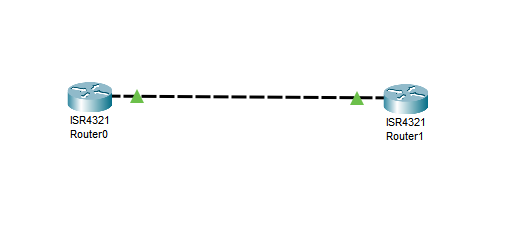
Router 0 (2016030081) 기본설정
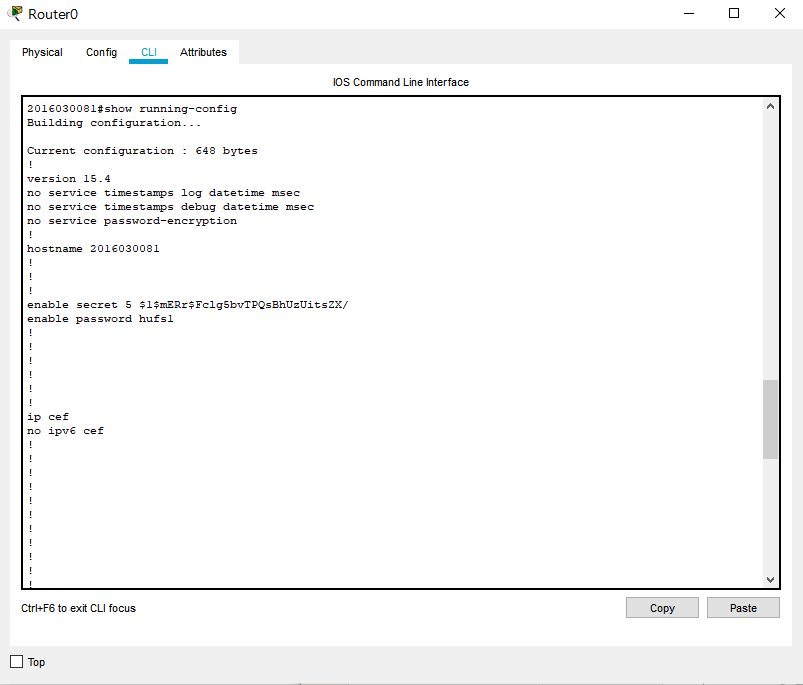
enable (user모드진입)
conf t (관리자모드진입)
hostname 2016030081 (Hostname설정)
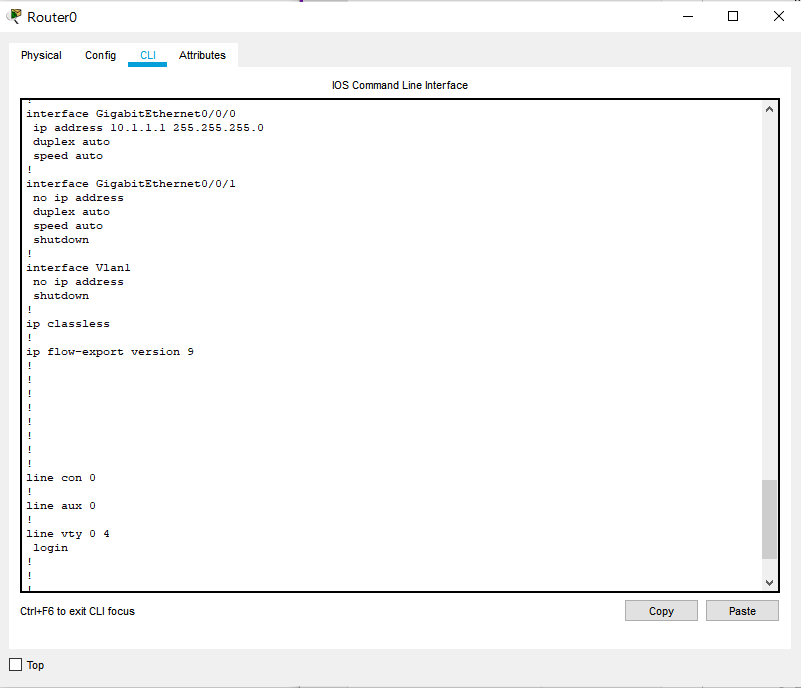
int gi0/0/0 (gigabit ethernet설정)
ip add 10.1.1.1 255.255.255.0 (ip 설정)
no shut (설정완료후 라우터전원이 안꺼지도록 설정)
enable password hufs1 (패스워드설정)
enable secret hufs (시크릿넘버설정)
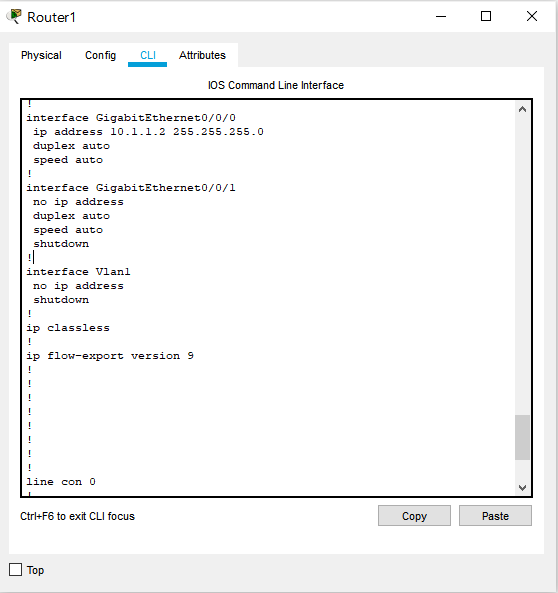
Router 1 (2016030082) 기본설정
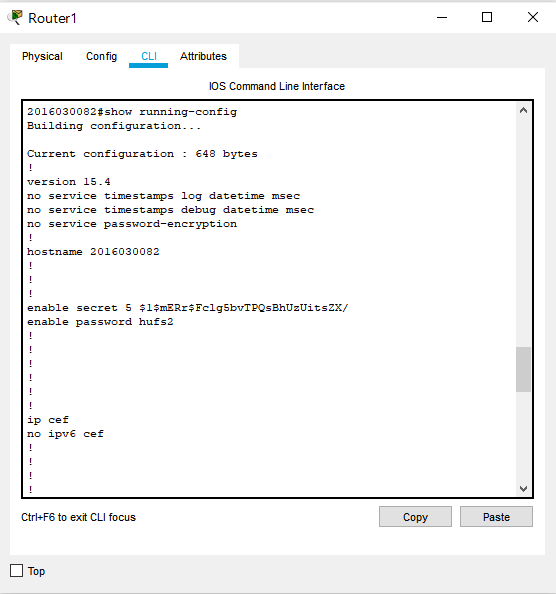
enable (user모드진입)
conf t (관리자모드진입)
hostname 2016030082 (Hostname설정)
int gi0/0/0 (gigabit ethernet설정)
ip add 10.1.1.2 255.255.255.0 (ip 설정)
no shut (설정완료후 라우터전원이 안꺼지도록 설정)
enable password hufs2 (패스워드설정)
enable secret hufs (시크릿넘버설정)
Ping Test
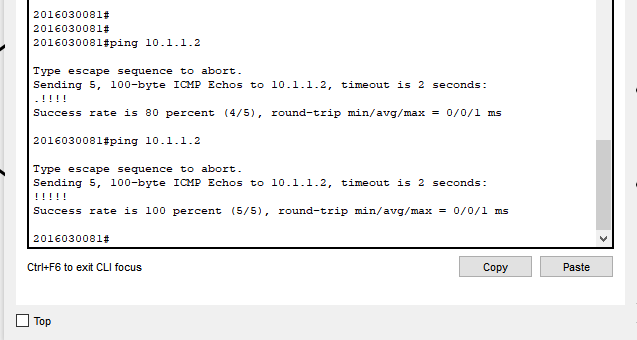
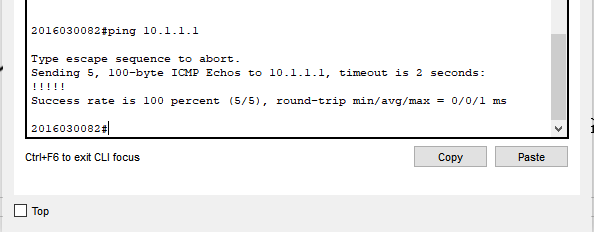
CTRL + Z (유저모드진입)
ping 10.1.1.2 (상대 호스트 이름)
5개 중 5개 수신.
Telnet 설정 및 접속
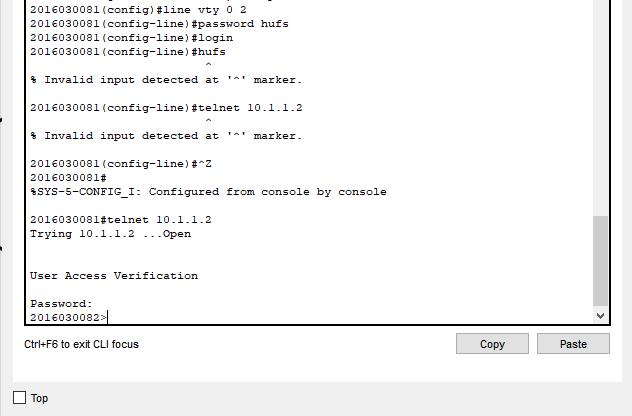
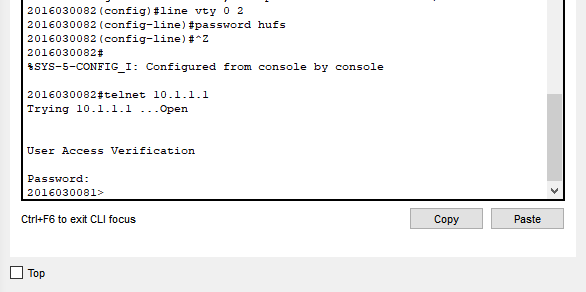
conf t (관리자모드진입)
line vty 0 2 (동시접속가능호스트 0~2)
password hufs (텔넷 비밀번호설정)
CTRL + Z (유저모드진입)
telnet 10.1.1.2 (상대호스트 IP)
Hub 실습
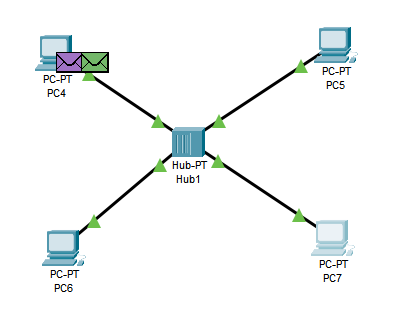
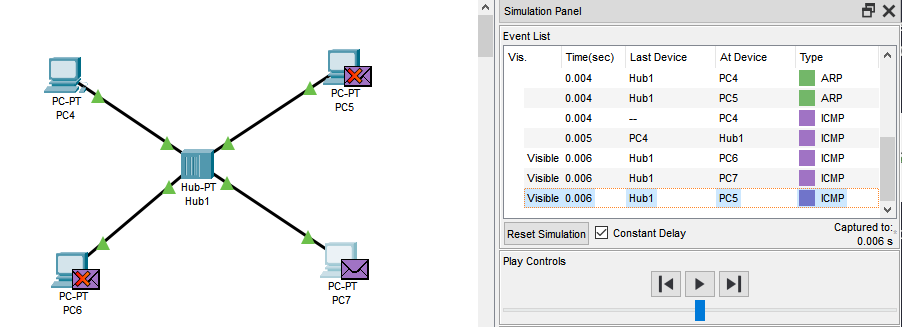
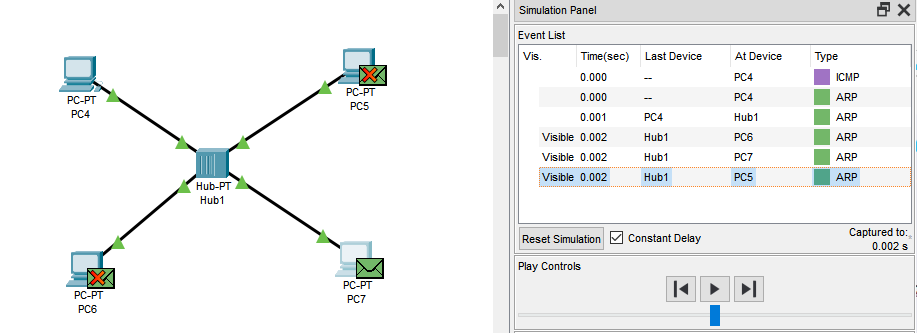
PC4 -> PC7로 ping보낼 시 초기모습
-
- When PC4 pings PC7, what type of packet is sent to the hub initially? Can you prove it?
-
ARP
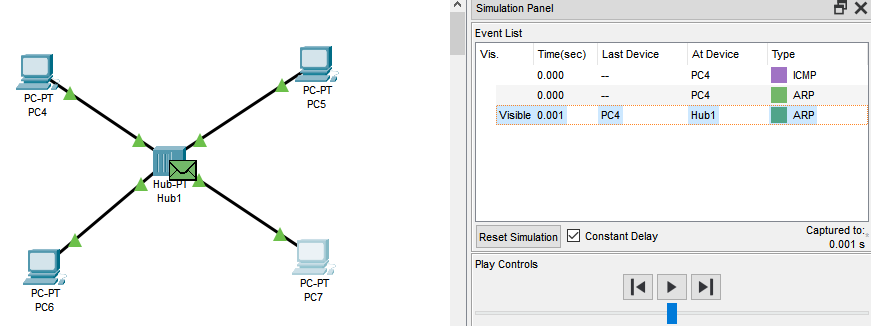
-
- Who receives the packet?
-
PC5, PC6, PC7
-
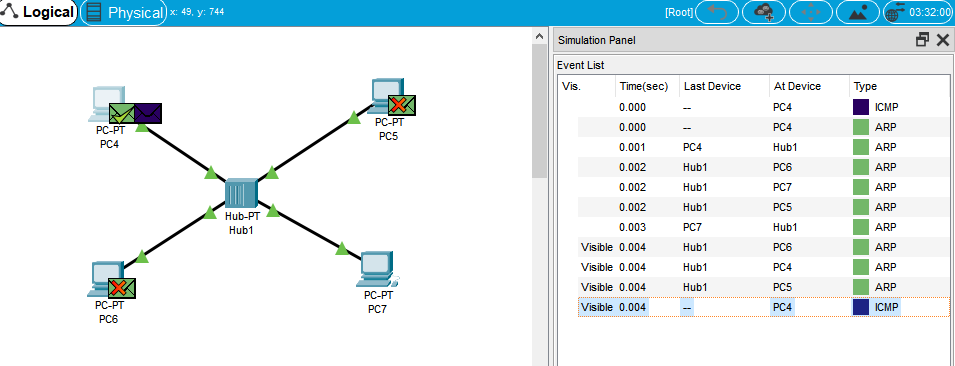
- Who recieves the return traffic from PC7 to PC4?
-
PC4, PC5, PC6
-
- When ping traffic is sent from PC4 to PC7, who recieves the traffic?
-
PC5, PC6, PC7